 Craftable
A portfolio link on your resume, LinkedIn and GitHub tells recruiters more than a list of skills. Craftable lets you build one in minutes by describing yourself — and it looks good on the phone screen most recruiters will open it on.
What to put on it
- A one-line intro: who you are, your college and what you want to do.
- 3–6 projects with a screenshot, what you built, the tech used and a link.
- Skills grouped by area (languages, frameworks, tools).
- Achievements: hackathons, certificates, open-source.
- Resume download and a contact form.
Start from a template
Three free templates are made for this:
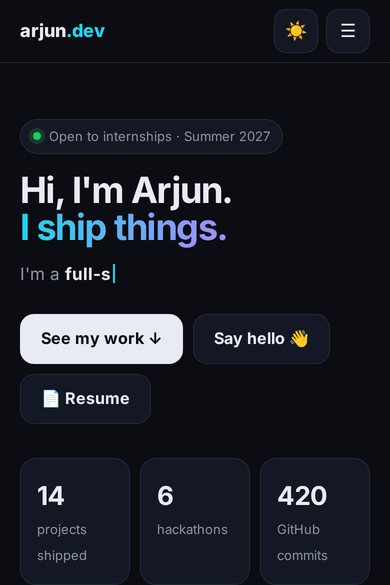
- Student developer portfolio — dark/light mode, typed intro, filterable projects and a contact form.
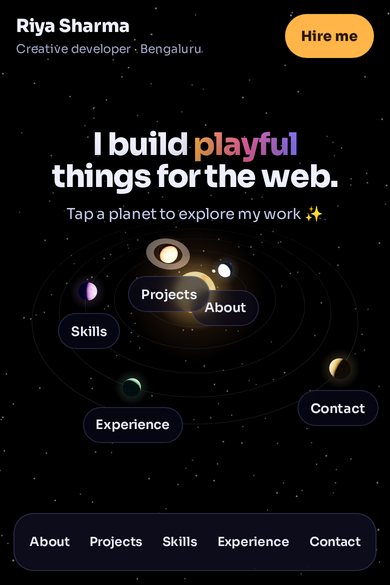
- 3D Solar System Portfolio — each planet is a section; tap to fly to it.
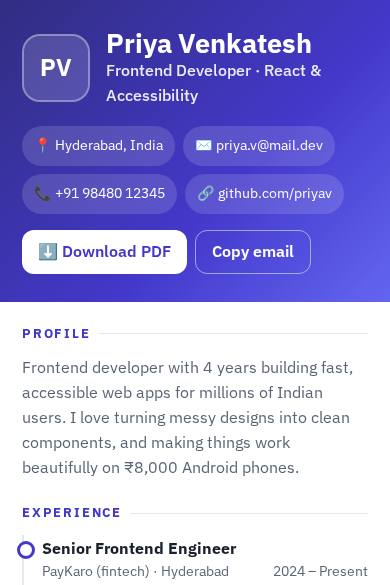
- Resume and portfolio — simple, clean, fast.
Tap Build one like this, then paste your details: “I’m Ananya, a 3rd-year CSE student at VIT. My projects are…”.
Make it stand out
- Ask for a project filter (Web, ML, Android).
- Add a small 3D or animated hero — Craftable can write Three.js scenes.
- Keep it fast: ask the AI to compress images and avoid heavy libraries.
Try it now — free
Open Craftable with this prompt ready to go:
Publish it
Publish to get a shareable link, or deploy to GitHub Pages from Integrations so it lives next to your code. You can also download the files any time.
Cost
The Free plan (25 credits a day on 7 days a month) is plenty for a portfolio. Paid plans start at Starter ₹299 a month if you build a lot.
Free templates to start from
FAQ
Can I host it on GitHub Pages?
Yes. Connect GitHub in Integrations and deploy, or download the ZIP and upload it yourself.
Can I add my resume PDF?
Yes — ask for a “Download resume” button and add your file or link.
Do I need coding skills?
No, but the Code tab shows every file, which is a nice way to learn HTML, CSS and JavaScript.
Build it with Craftable
Describe it, watch it build, publish in one tap. Free to start.